You’re sitting at a red light, checking your mirrors out of habit, when the car behind you doesn’t stop in time. Or maybe it’s a hit and run in a parking lot, a wild insurance claim dispute, or just the nagging feeling that if something ever happened on the road, you’d have no proof of what actually occurred. This is exactly why so many drivers are now looking into the best dash cams for car safety instead of treating them as an afterthought.
Dash cams have moved well past the days of grainy, low resolution footage that barely helps in a dispute. Today’s cameras record in sharp detail, some cover both the front and rear of the vehicle, some watch your car while it’s parked, and some connect to your phone so you can pull footage in seconds instead of digging through a memory card. But not every dash cam is built the same way, and the differences matter more than most buyers expect.
Resolution, camera coverage, parking protection, installation complexity, physical size, and connectivity all vary significantly between models, and a camera that’s excellent for one type of driver can be a poor match for another. A rideshare driver has different priorities than someone who just wants a small, unobtrusive camera for daily commuting. This guide walks through five well regarded dash cams, explains what their specifications actually mean once you’re behind the wheel, and helps you figure out which one fits how you actually drive, rather than which one has the longest spec sheet.
Quick Comparison
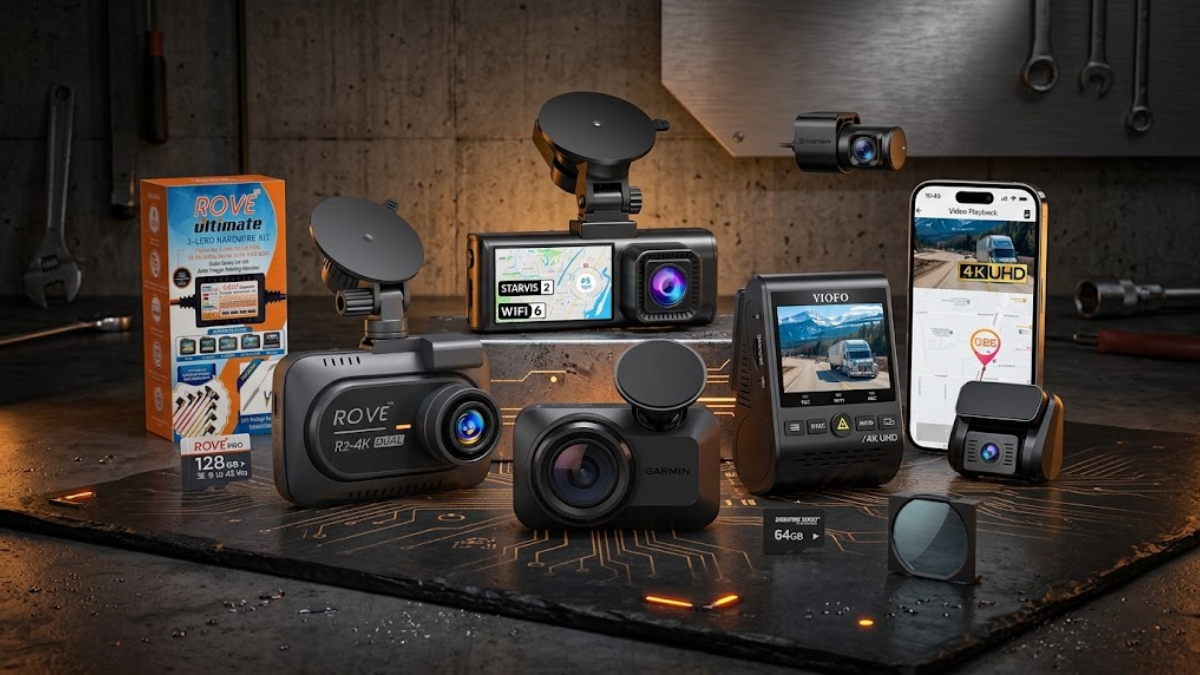
| Product | Front Resolution | Rear Camera | GPS | WiFi | Parking Mode | Best For |
|---|---|---|---|---|---|---|
| VIOFO A129 Pro Duo | 4K UHD (3840×2160, 30fps) | Yes, 1080p | Included (external module) | Yes, dual band | Yes, buffered (requires hardwire or constant power) | Drivers who want front and rear 4K-era coverage with strong night performance |
| VIOFO A119 V3 | 2K QHD+ (1600p, 30fps) | No, single channel | Included | No | Yes, built in (needs hardwire for full-time protection) | Drivers who want strong front image quality without the cost or clutter of a second camera |
| ROVE R2-4K Dual | Up to 4K, marketed with an upscaled processing pipeline | Yes, 1080p | Built in | Yes, dual band | Yes, 24 hour (hardwire kit included in this particular bundle) | Drivers who want a full dual camera kit with parking protection ready out of the box |
| Garmin Dash Cam Mini 3 | 1080p Full HD | No (single unit) | Not built in (works with a second GPS-enabled Garmin camera) | Yes | Parking Guard runs on constant power; remote alerts and cloud access depend on WiFi and Vault | Drivers who want a nearly invisible camera and don’t want to deal with wires or screens |
| REDTIGER F7NP | 4K (3840×2160) | Yes, 1080p | Built in | Yes, 5.8GHz | Yes, 24 hour, hardwire kit included with this bundle | Drivers who want dual coverage, GPS, and parking mode without buying extra accessories separately |
Our Take on These Five Dash Cams
After looking closely at all five cameras, one thing is pretty clear: paying more does not automatically mean getting the dash cam that makes the most sense for you. These five models take very different approaches, and I would rather have a camera that does the few things I actually need well than one loaded with features I will never use.
The VIOFO A129 Pro Duo feels like the most serious choice for someone who cares about proven front and rear coverage and strong image quality, especially at night. It is not the camera I would recommend to someone looking for the quickest plug and play setup, but it makes sense for a driver who is willing to put more effort into the installation and wants a system built around reliable recording rather than flashy extras.
The VIOFO A119 V3 is almost the opposite. It is simple, compact, and focused on the one thing that matters most: recording what happens in front of you clearly. I actually like that approach. Not every driver needs a rear camera, WiFi, or a giant screen hanging from the windshield. If front coverage is all you need, adding features just for the sake of having them makes little sense.
The ROVE R2-4K Dual is more feature heavy and more convenient for drivers who want a complete package. The included hardwire kit in the bundle reviewed here makes a real difference because parking mode is not much use if you still have to buy the hardware needed to make it work. My main hesitation is the way its 4K capability is achieved. It can produce sharp footage, but I would not treat the 4K label as equivalent to every native 4K dash cam on the market.
The Garmin Dash Cam Mini 3 is the one I would look at if size and discretion matter more than raw specifications. It is remarkably small, and that alone solves a problem that larger dash cams create. The tradeoff is obvious, though. You are giving up resolution, built in GPS, and rear coverage in exchange for a camera that practically disappears behind the mirror. That is a fair trade for the right driver, but not one I would make blindly.
Then there is the REDTIGER F7NP, which goes after drivers who want a lot of hardware in one package. You get dual cameras, 4K front recording, GPS, fast WiFi, a large screen, and a hardwire kit in the bundle reviewed here. That is a lot of functionality for a single setup. The very wide field of view is useful, although I would personally take a little less width if it meant reducing edge distortion.
If I were choosing between these five, I would not start with the resolution number printed on the box. I would start with the question that actually matters: **what do I want this camera to prove if something goes wrong?** Once you answer that, the differences between these five become much easier to understand.
That is also why I would not call one of these cameras the universal winner. A good dash cam is not the one with the longest specification list. It is the one that gives you the coverage, image quality, reliability, and convenience you will actually use when you need the footage most.
VIOFO A129 Pro Duo 4K Dual Dash Cam

VIOFO has been in the dash cam business long enough that the A129 Pro Duo doesn’t feel like a company chasing trends. It’s a two camera system, 4K on the front and 1080p on the rear, built around Sony STARVIS sensors that are genuinely good in low light rather than just marketed that way.
The 4K front resolution matters most in situations where detail counts more than overall clarity, like reading a license plate from thirty feet away or making out lane markings during a merge dispute. At 3840×2160, you get roughly four times the pixel count of standard 1080p, which is the difference between “a car hit me” and “that specific car, with that specific plate, hit me.” The rear camera stays at 1080p, which is still perfectly usable for identifying vehicles and reading plates at closer range, just don’t expect the same crispness you get up front.
WDR (wide dynamic range) on the front camera helps balance harsh contrast, like driving out of a tunnel into bright sun or facing oncoming headlights at night, so the footage doesn’t blow out or go completely black in those transition moments. The buffered parking mode is one of the camera’s stronger selling points. Rather than just recording after something happens, it saves several seconds of footage before the triggering event too, which can be the difference between catching only the aftermath of a collision and catching the actual impact. That said, buffered parking mode only works reliably with a hardwire kit or a steady power source, since the camera needs continuous power to keep monitoring while your engine is off, and a hardwire kit is generally an accessory you’ll want to plan for separately rather than something guaranteed to arrive in every package.
Dual band WiFi (2.4GHz and 5GHz) means faster transfers to your phone through the VIOFO app compared to older single band setups, and the included GPS module logs your speed and route so playback shows exactly how fast you were going and where.
Who should consider it: drivers who want a proven two camera system with strong night recording and don’t mind spending a bit more time on setup, including a hardwire kit if they want full parking protection.
Who may want something else: anyone who wants a camera that works well as soon as it’s plugged into a cigarette lighter, no hardwiring involved, since the A129 Pro Duo is really built around a more permanent installation.
Pros:
- 4K front resolution with genuinely strong low light performance from its Sony sensor
- Buffered parking mode captures footage from before and after an event, not just after
- Dual band WiFi transfers footage to your phone noticeably faster than 2.4GHz only systems
- Included GPS logs speed and location data directly into your video files
- Front WDR keeps footage usable in high contrast lighting like tunnel exits and oncoming headlights
Cons:
- Full 24/7 parking protection generally requires a hardwire kit, which may be sold separately depending on the bundle
- Rear camera resolution is only 1080p, which is fine but not as detailed as the front
- Physical installation with a rear camera and cable run takes more effort than single camera units
- Maximum supported memory card size is 512GB, so you’ll want a card built for continuous 4K writing
VIOFO A119 V3 2K Quad HD Dash Camera

The A119 V3 takes a different approach entirely. There’s no rear camera here at all, this is a single, front facing unit, and that’s actually the point. VIOFO leaned into keeping this model simple, compact, and focused on doing one job extremely well: capturing sharp, wide front footage.
Resolution sits at 2K QHD+ (1600p), which lands between standard 1080p and full 4K. In practice, that’s still plenty sharp for reading plates and signage at typical following distances, and the Sony STARVIS 5MP IMX335 sensor behind it does a solid job in dim conditions, including that awkward blue hour right after sunset when a lot of cheaper cameras start to struggle. The 140 degree field of view captures a wide slice of the road ahead, useful for catching cars merging from adjacent lanes rather than just what’s directly in front of you.
What stands out here is what’s missing. There’s no WiFi and no Bluetooth, so getting footage off the camera means pulling the microSD card and reading it on a computer rather than pulling it up instantly on your phone. For some drivers that’s a dealbreaker. For others, it’s not really a loss, since not everyone wants to fuss with an app just to check footage occasionally. An external GPS mount is included, letting you log speed and route data the same way the pricier VIOFO model does, and some bundles include a detachable CPL filter, which cuts down on windshield glare and dashboard reflections that can otherwise wash out footage on sunny days.
Who should consider it: drivers who mainly care about front facing image quality, don’t need rear coverage, and don’t mind manually transferring footage when needed.
Who may want something else: anyone who regularly deals with rear end collisions, parking lot dings from behind, or who simply wants instant phone access to their footage without removing a memory card.
Pros:
- Strong 2K resolution and a capable Sony sensor for a single channel camera
- 140 degree field of view covers a wide stretch of road and adjacent lanes
- Compact, low profile design that’s easy to mount discreetly behind the mirror
- Included GPS module logs speed and route without needing a phone connection
- Optional CPL filter reduces windshield glare in bright daylight
Cons:
- No rear camera option, so it offers zero visibility behind the vehicle
- No WiFi or Bluetooth, meaning footage transfer requires removing the SD card
- Parking mode still depends on hardwiring or constant power for full time monitoring
- Not ideal for drivers who specifically want dual camera protection
ROVE R2-4K Dual Dash Cam

This particular ROVE bundle pairs the R2-4K Dual camera with a proper hardwire kit and a 128GB card, which tells you a lot about who it’s aimed at: drivers who want to set this up once and have parking protection working from day one, without ordering extra accessories separately. It’s worth being clear that this review covers the R2-4K Dual, not the newer R2-4K Dual Pro, since the two are different products with different sensors and features.
The front camera uses a Sony STARVIS2 sensor (IMX675) and is marketed at 4K, though it’s worth being upfront that ROVE describes this unit’s output using an upscaled processing pipeline rather than a native 4K sensor pushing full 4K detail on its own, a distinction some independent reviewers have pointed out as well. That doesn’t mean the footage looks bad. It generally looks sharp and detailed, especially in daylight, but drivers expecting the exact same pixel level clarity as a camera built around a native 4K sensor should adjust expectations slightly. The rear camera records at 1080p, which is standard for this price bracket and still clear enough for plate identification at normal following distances.
Where this camera earns its keep is the combination of a 150 degree front field of view, a fast 5GHz WiFi connection rated up to 20MB/s for phone transfers, and a 24 hour parking mode that offers three separate trigger options: timelapse recording, motion detection, and collision only detection. Because this particular bundle includes the hardwire kit, that parking mode is actually usable right out of the box rather than being a feature you have to buy your way into later. Other R2-4K Dual packages may not include the kit, so it’s worth checking what’s actually in the box before assuming parking mode is ready to go. The built-in GPS logs speed and route automatically, and the 3 inch IPS screen makes it easy to check framing and settings without needing your phone nearby.
Who should consider it: drivers who want a dual camera setup with parking mode ready to go, without hunting down a compatible hardwire kit separately.
Who may want something else: buyers who specifically want a sensor built for true native 4K capture rather than a system that leans on upscaling to reach that resolution figure.
Pros:
- This particular bundle includes a proper 3 lead hardwire kit, so 24 hour parking mode works immediately
- Fast 5GHz WiFi with rated transfer speeds up to 20MB/s
- 150 degree front field of view captures a wide stretch of road
- Three distinct parking mode trigger options give more control over battery drain and storage use
- Includes a free 128GB microSD card, removing one extra purchase
- Built-in GPS logs speed and route without extra hardware
Cons:
- Marketed 4K resolution involves upscaled processing rather than a native 4K sensor
- Rear camera is limited to 1080p, standard for the category but not a step up
- 3 inch screen and dual camera setup make this a bulkier install than single camera options
- Some drivers have noted the mounting hardware feels less refined than pricier alternatives
Garmin Dash Cam Mini 3

The Mini 3 is built around a completely different philosophy than the other four cameras on this list. It’s about the size of a car key, has no screen, and mounts almost invisibly near the rearview mirror. If your priority is a dash cam that doesn’t look like a dash cam, this is the one that actually delivers on that.
Resolution tops out at 1080p Full HD, which is a step down from the 4K and 2K options covered above. In everyday terms, that means clear enough footage for identifying vehicles and general incident documentation, but less detail if you’re trying to zoom in on a distant plate. The 140 degree field of view is competitive with the other cameras here, and Garmin’s Clarity HDR processing does a genuinely good job managing exposure in mixed lighting, like driving toward a low sun.
The bigger tradeoffs show up around GPS and parking features. The Mini 3 doesn’t have a built-in GPS chip of its own, so speed and location data only appear in your footage if you sync it with a second GPS-equipped Garmin dash cam, which is an extra purchase most single camera buyers won’t make. Parking Guard, the feature that alerts you to impacts while your car is parked, needs a constant power source to run at all, since the camera has to stay awake and monitoring while your engine is off. The connected extras built on top of that, like remote alerts to your phone and cloud access to saved clips, depend on an active WiFi connection and a Garmin Vault subscription, but the core act of watching for and recording an impact while parked is really a power question first. Voice control is a nice touch for hands free operation, letting you save a clip or start recording without touching the unit, and the Garmin Drive app makes footage review straightforward once you’ve paired everything up.
Who should consider it: drivers who want a genuinely discreet, compact camera and are comfortable using Garmin’s app ecosystem, including a possible subscription for the more connected features.
Who may want something else: drivers who want built-in GPS tracking or don’t want to deal with a constant power cable to get parking recording working.
Pros:
- Extremely compact, key sized design that’s barely noticeable on the windshield
- No screen means no distraction, and no glare bouncing back into the driver’s eyes
- Voice control allows hands free saving and starting of recordings
- Clarity HDR handles mixed and harsh lighting conditions well for a 1080p camera
- Supports microSD cards, with capacity limits depending on Garmin’s current regional specifications
Cons:
- Maxes out at 1080p, lower resolution than the 4K and 2K options on this list
- No built-in GPS unless paired with a second Garmin camera sold separately
- Parking Guard recording requires a constant power source, and the connected alert and cloud features on top of it require WiFi and a Garmin Vault subscription
- No rear camera included, and adding one means buying and syncing a separate unit
- No physical screen, which means live camera preview must go through the phone app
REDTIGER F7NP Dash Cam

The F7NP sits in a similar category to the ROVE model above, dual camera coverage, GPS, WiFi, and a hardwire kit bundled together, but with a few of its own distinguishing traits worth calling out.
Front resolution comes in at 4K (3840×2160) built around a STARVIS2 sensor with an F1.8 aperture and a six layer lens, paired with WDR and HDR processing for handling both bright glare and dark shadows in the same frame. The rear camera records at 1080p. In real driving terms, the wide 170 degree front field of view is one of the widest in this comparison, meaning it captures more of the scene at intersections and during lane changes than cameras sitting closer to 130 or 140 degrees, though an extremely wide angle can also introduce a bit more distortion toward the edges of the frame, something to keep in mind if you plan to zoom in on objects near the periphery.
WiFi runs on the 5.8GHz band with rated transfer speeds up to 20MB/s through the RedTiger app, which also displays GPS route and speed data logged by the built-in module. The 3.18 inch IPS screen gives a reasonably large live preview for a camera in this price range, useful for adjusting the mount angle without guessing. This particular bundle includes a hardwire kit and a memory card, so like the ROVE model, the 24 hour parking mode with G-sensor triggered recording is functional without ordering separate accessories.
Who should consider it: drivers who want a wide angle dual camera system with GPS, fast WiFi, and parking mode all working together without extra purchases.
Who may want something else: drivers who are sensitive to edge distortion from very wide fields of view, or who prioritize a smaller, less noticeable camera body.
Pros:
- Wide 170 degree front field of view captures more of the surrounding road than narrower alternatives
- Hardwire kit and memory card are included with this bundle, so parking mode is ready to use
- Fast 5.8GHz WiFi rated up to 20MB/s for footage transfers
- STARVIS2 sensor and F1.8 aperture support solid night performance
- 3.18 inch IPS screen offers a clear live view for mounting and menu navigation
Cons:
- Very wide 170 degree angle can introduce mild distortion near the edges of the frame
- Rear camera resolution stays at 1080p, matching rather than exceeding competitors
- Camera and screen combination is bulkier than minimalist options like the Garmin Mini 3
- Long term reliability data is less established compared to brands with a longer track record
How to Choose the Right Dash Cam
Resolution. Higher resolution means more detail when you need to zoom in on a plate or a sign, but it also means larger file sizes and faster wear on lower quality memory cards. 1080p is genuinely fine for basic incident documentation. 2K and 4K matter more if you frequently deal with hit and run situations or park in areas where identifying a vehicle after the fact really counts.
Front and rear coverage. A front only camera protects you in head-on and merge related incidents. Rear coverage adds protection against tailgaters, parking lot backing incidents, and reversing disputes. If most of your concern is being rear-ended in traffic or dinged while parked, a dual camera setup earns its extra installation effort.
Night recording. Sensor quality matters more than resolution once the sun goes down. A camera with a strong low light sensor at 1080p can outperform a poor sensor pushed to 4K in the dark. Look specifically at sensor type rather than just megapixel counts.
HDR or WDR. These features balance extreme contrast, like driving into direct sunlight or facing oncoming headlights, so your footage doesn’t wash out to white or drop to black in critical moments.
Parking mode. This only works meaningfully with a steady power source. A camera can advertise parking mode, but without a hardwire kit or a battery pack, it either can’t run while your engine is off or it drains your car’s battery attempting to.
GPS. Useful for logging speed and route, which becomes relevant in disputes over fault, speeding tickets, or insurance claims. Not essential if you mainly want basic incident footage.
WiFi. Speeds up transferring clips to your phone instead of pulling the memory card every time. More convenience than necessity, but it adds up if you check footage often.
Storage and microSD cards. Dash cams write and overwrite footage constantly, which is harder on memory cards than typical phone or camera use. Cards rated for continuous, high endurance recording last considerably longer than standard consumer cards.
Installation. Single camera units generally mount in minutes. Dual camera systems require running a cable from front to back, usually tucked along the headliner and door trim, which takes more time and a bit more patience.
Hardwire kits. These tap into your vehicle’s fuse box to provide constant, low draw power, which is what makes true 24/7 parking mode possible. Without one, most parking modes are either disabled or limited to short buffered windows.
Field of view. Wider angles capture more of the scene but can distort objects near the edges. A moderate 130 to 150 degree range tends to strike a good balance for most driving situations.
Camera size. A larger camera with a screen is easier to operate directly but more noticeable on the windshield. A compact, screen-free unit blends in but usually means managing everything through a phone app.
Heat resistance and power design. Cameras that use a supercapacitor instead of a lithium battery tend to hold up better to extreme heat inside a parked car, since capacitors don’t degrade the way batteries do under sustained high temperatures.
Common Mistakes When Buying a Dash Cam
Choosing resolution without considering the sensor. A 4K camera with a mediocre sensor can actually look worse at night than a 2K camera with a genuinely good one. The resolution number alone doesn’t tell you how usable the footage is in low light, which is exactly when you’re most likely to need it.
Ignoring rear coverage. Many collisions and parking lot incidents happen from behind. Buyers who only think about the road ahead often regret not having rear footage the first time someone backs into them.
Buying an unsuitable memory card. Standard consumer microSD cards aren’t built for the constant write cycles of loop recording. Using one anyway often leads to corrupted files or premature card failure right when you need the footage most.
Assuming parking mode works without proper power. Parking mode advertised on a spec sheet doesn’t mean much without a hardwire kit or dedicated battery pack. Skipping this step means your camera simply won’t record while you’re away from the car.
Mounting the camera poorly. A camera mounted too low or off center can end up capturing your dashboard or hood instead of the road, or it can block your own view through the windshield, which creates a new safety issue rather than solving one.
Ignoring windshield reflections. Dashboard reflections and glare can wash out footage, especially at night with interior lights on. A CPL filter or careful mount placement reduces this, but skipping it can leave you with footage that’s technically recorded but hard to actually see.
Forgetting storage requirements. Higher resolution and dual camera setups fill memory cards faster than single 1080p units. Buyers sometimes discover their older footage gets overwritten sooner than expected simply because they underestimated how much space their setup actually needs.
Choosing features they will never use. Voice control, GPS, and app connectivity all sound appealing, but paying extra for features you won’t actually use, or subscribing to a service you’ll forget about, adds cost without adding real protection.
Ignoring local recording and privacy rules. Some regions have specific rules about audio recording or camera placement, and rear facing cameras in particular can raise privacy considerations in certain jurisdictions. It’s worth checking local regulations before assuming any dash cam setup is automatically fine to use exactly as installed.
Final Verdict
There isn’t one dash cam here that fits every driver, and that’s really the point of looking at these five side by side. A driver who wants complete front and rear coverage with parking protection ready to go, without ordering separate accessories, will likely lean toward the ROVE R2-4K Dual or the REDTIGER F7NP, since both bundle a hardwire kit and extras that let the parking features actually function from day one, at least in the specific bundles reviewed here.
Someone who wants a proven, more established two camera system with strong night performance and doesn’t mind putting together their own hardwire setup may prefer the VIOFO A129 Pro Duo. A driver who mainly cares about sharp front facing footage, doesn’t need a second camera, and would rather skip an app entirely might be better served by the VIOFO A119 V3.
For drivers who value being nearly invisible on the windshield and want the simplest possible physical footprint, the Garmin Dash Cam Mini 3 stands apart from the rest of this list, even though that comes with tradeoffs around resolution, built-in GPS, and needing constant power for parking recording to work at all.
The right choice ultimately comes down to what you’re actually trying to protect against, rear end collisions, parking lot damage, general peace of mind on long drives, or simply wanting the smallest possible camera in your line of sight, more than which model has the single longest list of specifications.
FAQ
How much resolution do I actually need in a dash cam?
For most everyday driving, 1080p is enough to identify vehicles and general details in an incident. Where higher resolution genuinely helps is reading license plates from a distance, capturing fine detail in low light, or documenting evidence you might need for an insurance dispute. If you frequently drive in low light or want to catch precise details like plate numbers from farther away, 2K or 4K options give you meaningfully more to work with. If your main goal is general documentation and peace of mind, 1080p from a camera with a good sensor is often plenty.
Do I really need a dual dash cam with front and rear cameras?
It depends on what kind of incidents concern you most. A single front camera protects you in head-on collisions and disputes involving what’s ahead of your vehicle. A rear camera adds protection against tailgating, being rear-ended in traffic, and parking lot incidents where someone backs into your car. If you park in busy areas or drive in heavy traffic often, a dual setup is worth the extra installation effort. If you mainly drive in lighter traffic and park in less congested areas, a front only camera may cover your actual risk just fine.
Does a dash cam with parking mode work without hardwiring?
Some limited parking protection can work with just constant power from a 12V outlet, but true 24 hour parking mode generally needs a hardwire kit connected to your vehicle’s fuse box, or a separate battery pack. Without one of these, most dash cams either can’t monitor your car while it’s off, or they’ll drain your car’s battery attempting to. If parking protection is a priority, check specifically whether a hardwire kit is included or needs to be purchased separately, since this changes both the cost and the installation effort involved.
Is GPS necessary on a dash cam, or is it just an extra feature?
GPS isn’t essential for basic incident recording, but it adds real value in specific situations. It logs your speed and route directly into the footage, which can help in disputes over who was at fault in a collision, contest a speeding ticket, or support an insurance claim with objective data rather than just video. If you mainly want a camera for general safety and documentation, you can skip GPS without losing much. If you want more detailed evidence for legal or insurance purposes, it’s a genuinely useful addition.
What is the difference between WDR and HDR on a dash cam, and does it matter?
Both WDR (wide dynamic range) and HDR (high dynamic range) aim to balance extreme differences in lighting within the same frame, like driving out of a dark tunnel into bright sunlight or facing oncoming headlights at night. Without this processing, footage can either blow out to white in bright areas or drop to black in shadows, hiding important details right when you need them most. In practice, the exact technical difference between WDR and HDR matters less than whether the camera handles these transitions smoothly, which is worth checking in real world sample footage rather than relying on the spec sheet alone.